
Every window.
In its place.
Rectangle-style window management, at home on Ubuntu KDE. Put your workspace in order with a shortcut.
Download KRectStart for free. Keep every feature.
Ctrl + Alt + ←
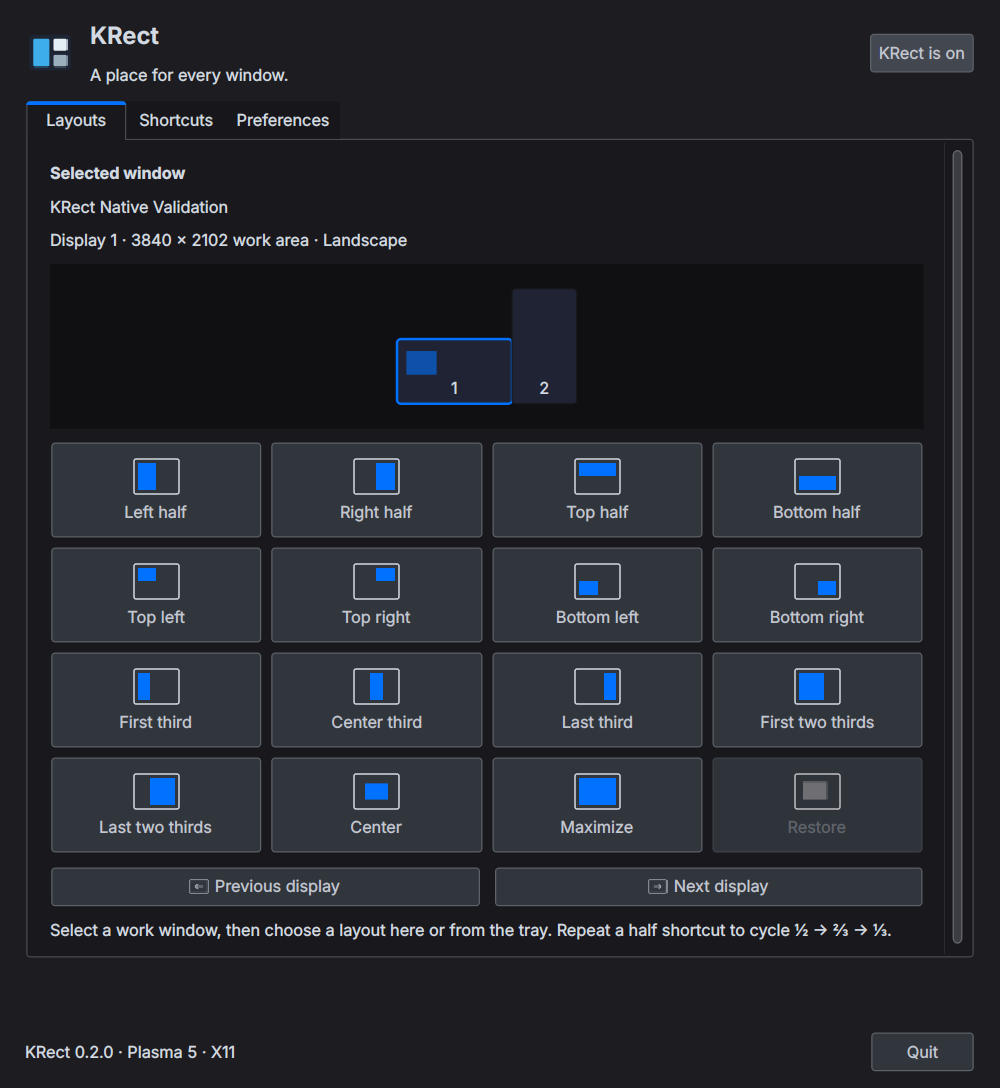
Press a button to try a layout. This is a browser illustration.
Made for KDE.
Feels familiar.
Window placement runs inside KWin. A native Qt app puts the controls in your hands.
- From half a screen to portrait thirds
- 18 window actions and movement between displays. Repeat a half shortcut to cycle through ½ → ⅔ → ⅓. On portrait monitors, thirds stack vertically.
- Respect the panels. Keep your shortcuts.
- KRect uses KDE's work areas to leave panels clear. Edit global shortcuts in the app and check for conflicts before saving.
- Buttons, a tray, and your keyboard
- KRect remembers your last work window. Arrange it from the app or tray, and choose your window gaps, excluded apps, and login preferences.
A good tool.
For everyone.
No account. No payment. Choose the package for your Ubuntu version and get started.
KRect 0.2.0 Release notes
Check your desktop first
Requires a KDE Plasma 5.27 or 6 session on Ubuntu or Kubuntu. GNOME is not supported.
Tested on a real Plasma 5.27 / X11 desktop. Live Plasma 6 / Wayland sessions and mixed scaling still need validation. View validation notes
Get the .deb file without an account or payment.
sudo apt install ./krect_0.2.0-1ubuntu24.04_all.debRun this in your download folder. Then find KRect in the app launcher and click ‘Enable KRect’.
A few things to know
Is every feature free?
Yes. KRect is free and open source under the MIT license. Every feature is available without restrictions. The source and release files are available on GitHub.
Will it work on regular Ubuntu?
You need a KDE Plasma session. The default GNOME desktop is not supported. On Kubuntu or Ubuntu with KDE installed, check your version with plasmashell --version.
How do I upgrade from 0.1.0?
If you installed a .deb, install the new package to upgrade. If you installed from source, quit the app and run bash uninstall.sh from the old source folder first. User installations take precedence over system packages.
Is this the same app as Rectangle?
KRect is an independent implementation inspired by Rectangle's window placement workflow, adapted for KDE panels, portrait monitors, and global shortcuts. Mouse-drag snapping and custom layout presets are not included yet.